Queue management that flows.
Euroia is a queue management system for busy front offices. Customers take a number at the kiosk, watch it called on the TV, and walk straight to the right counter. Euroia runs the whole queue in a web browser, on screens you already have.
14 days free. No card needed to start.
One queue, four screens.
Each screen is a web page. Open them on a tablet, a TV with a small PC, and your staff's computers, and they stay in step with each other.
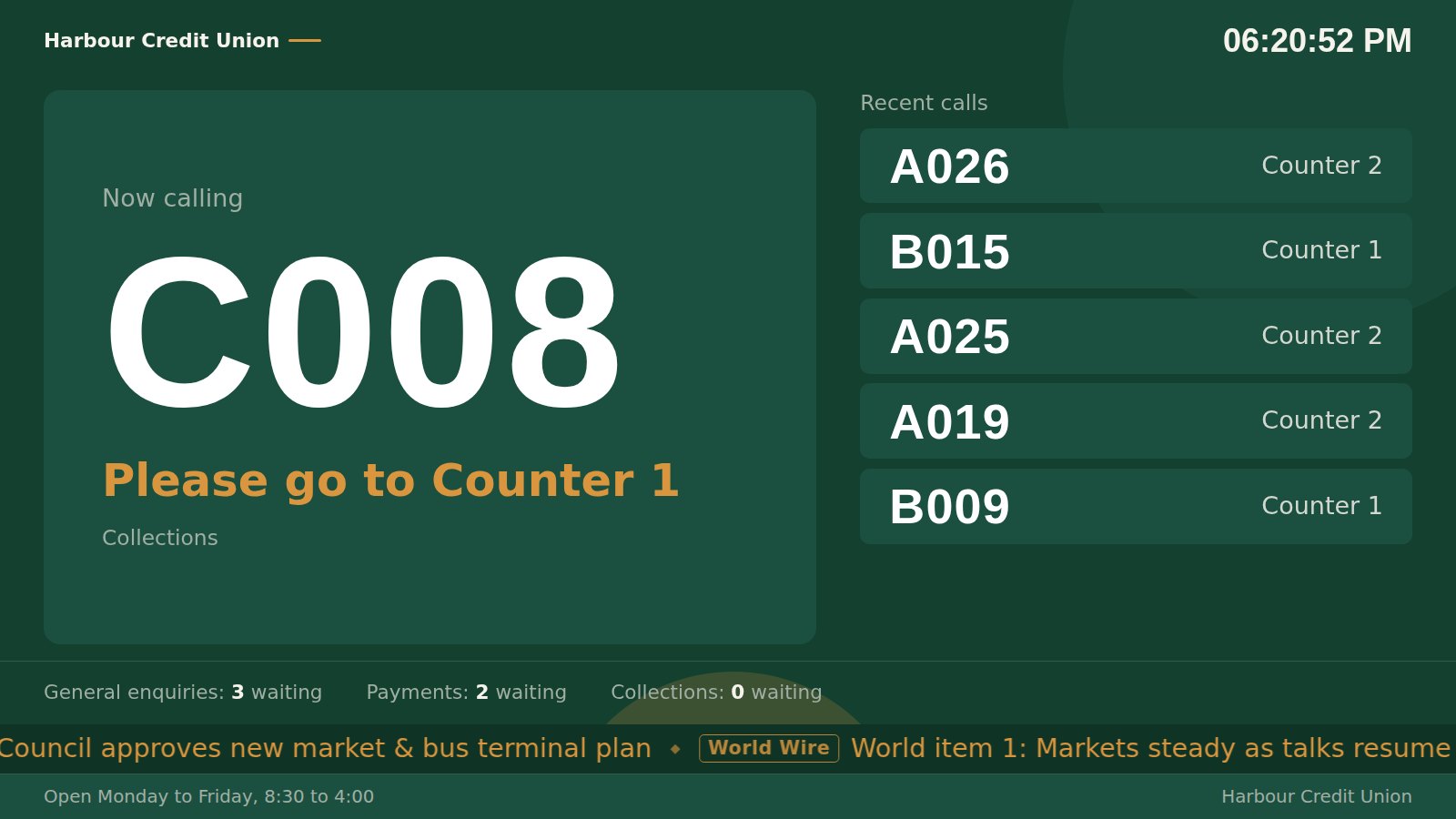
The display
The screen in your waiting area. It calls each number aloud, flashes it, and shows who is next, so nobody has to hover at the desk.
- Announcements in the accent you choose
- Your ads, videos and news headlines between calls
- Your colours, logo and wording
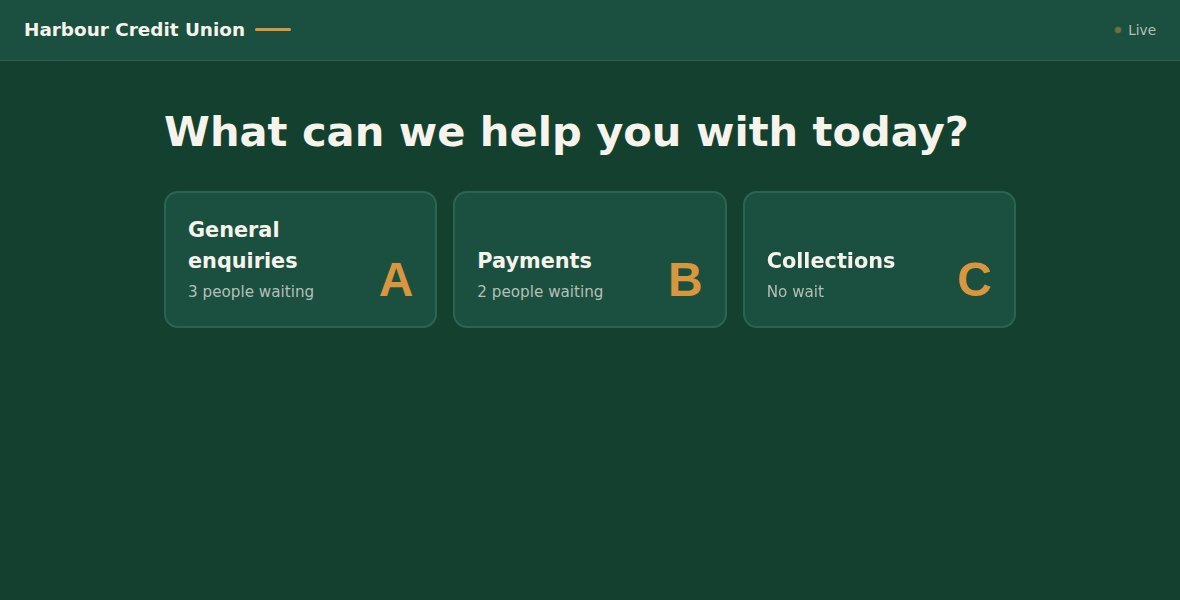
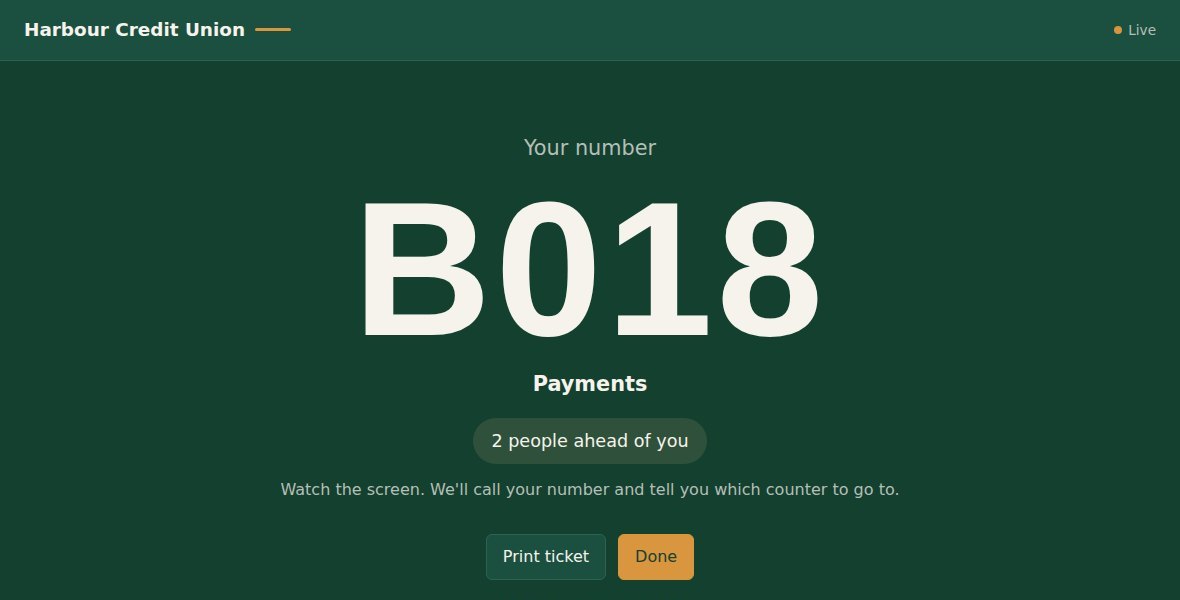
The kiosk
Customers tap the service they need and get a number, on screen or printed on a receipt printer.
- Shows how many people are ahead
- Tickets carry a QR code that proves they're genuine
- Your company details at the bottom of every ticket
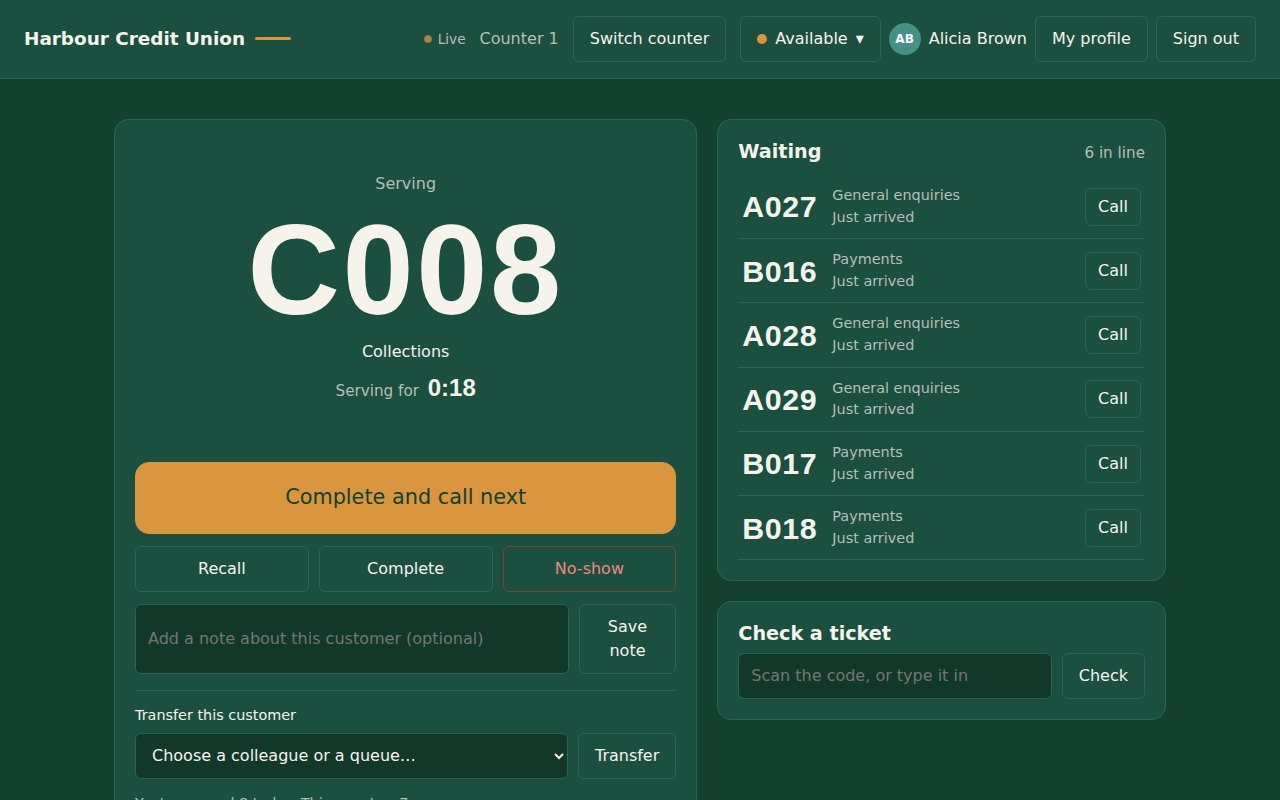
The counter
Staff call the next customer with one button, and see everyone waiting for their counter.
- Transfer a customer to a colleague or another queue
- Set a status like "On a break", with time limits you choose
- Scan a ticket to check it's genuine
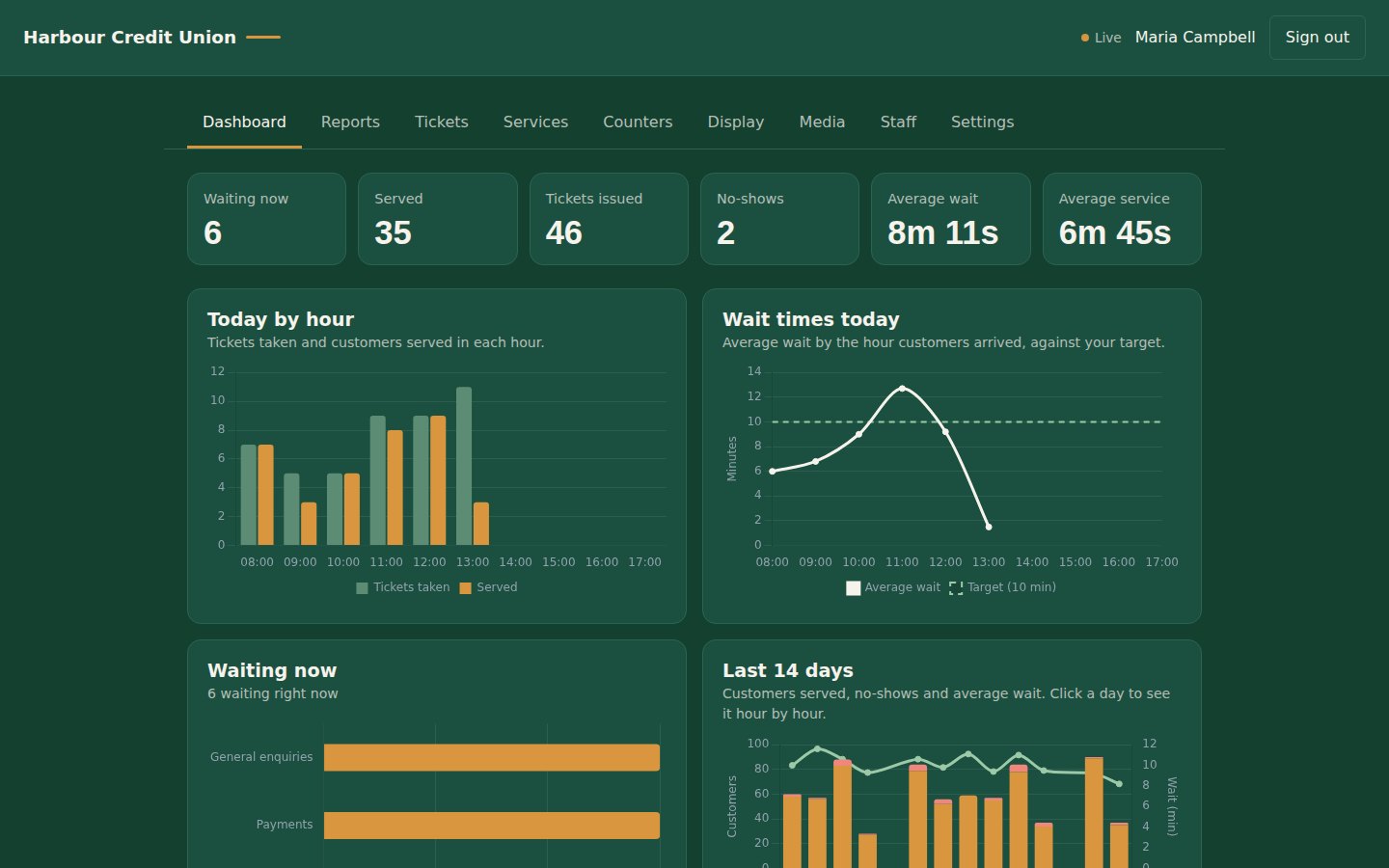
The dashboard
See how today is going as it happens, then look back with reports you can export to Excel.
- Wait and service times, by hour, service, counter and person
- The full history of every ticket
- Staff accounts, profiles and permissions
Built for your industry.
Anywhere people queue to be served, Euroia shortens the wait and keeps staff focused. See how it works in yours.
Set up in an afternoon.
Sign up
Choose your address, like yourbusiness.euroiasystems.com. Your Euroia is ready straight away, with nothing to install.
Open your screens
Open the kiosk on a tablet, the display on a TV, and the counter on each staff computer. Any up-to-date web browser works.
Start calling
Add your services, counters and staff, and you're taking numbers. Change anything later from the admin screen.
Simple pricing, per location.
Every plan starts with a free trial. Pay by card, or by bank transfer if you prefer.
Questions.
What equipment do I need?
A tablet or touch screen for the kiosk, a TV with a small PC or stick computer for the display, and a computer for each counter. Everything runs in a web browser. A receipt printer and a barcode scanner are optional.
What happens when my trial ends?
Choose a plan any time during the trial and nothing changes. If you don't, your Euroia pauses, and your settings and history are kept, so you can pick up where you left off.
Can I pay by bank transfer?
Yes. Choose "Pay by bank transfer" in your account and we'll send an invoice. Your plan stays active while it's being paid.
Is my customers' data kept separate?
Yes. Every business has its own database, and a sign-in from one business can never be used at another.
Can I change plans or cancel?
Change plans whenever you like from your account. You can also choose to stop renewing there: your plan stays active until the end of the period you've paid for.
Does it work without internet?
The hosted service needs an internet connection. If your office has unreliable internet, ask us about installing Euroia on a computer at your office instead.